
By Chang Min Park
Accredited Specialist in Immigration Law
Legal Practitioner Director of Park & Co Lawyers
“When will my visa be granted?” It is often the first question after an application is lodged. You check the published processing time, then wonder whether the number has changed since you last looked.
The Australian Visa Global Processing Times tracker brings the displayed figures and their recorded history together. You can find your visa stream, see its latest figures and follow the trend on a graph without keeping your own spreadsheet. No account is required.
Park & Co Lawyers generates the page automatically using public Department of Home Affairs data. It can help put the wait in context. Your application’s status and the steps you need to take still depend on your own circumstances.
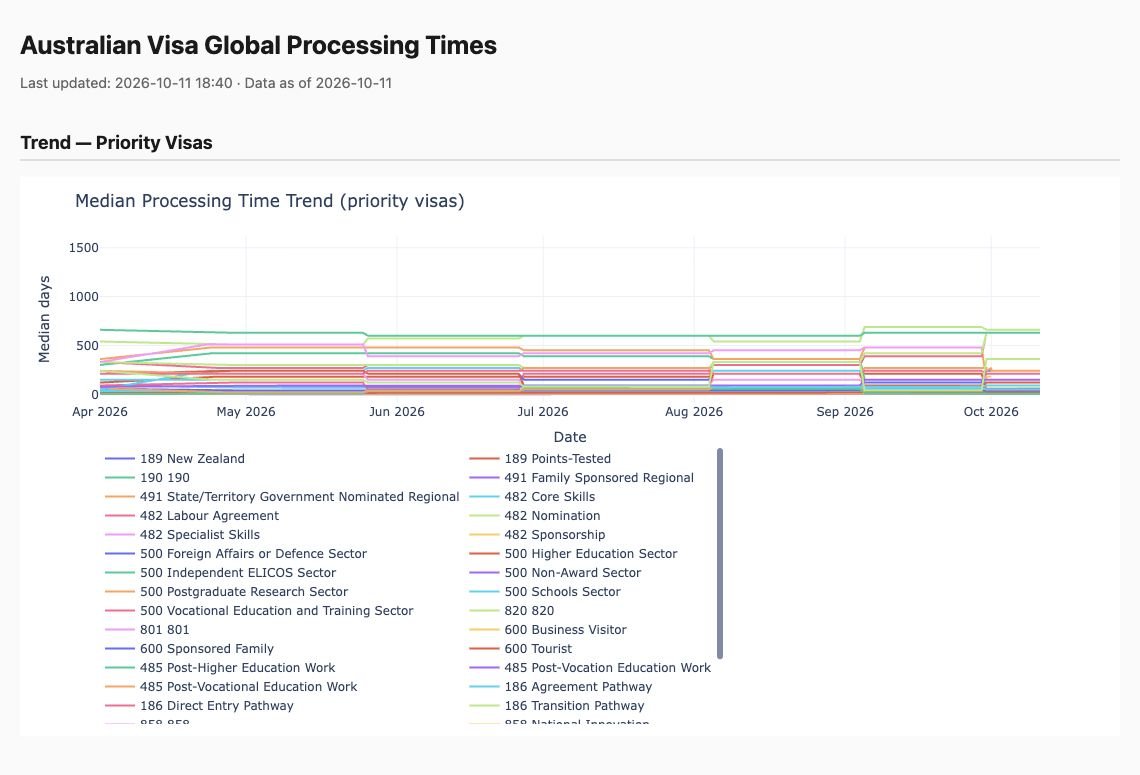
Check the dates before reading the figures
At the top of the page, Last updated records when the tracker was generated, while Data as of shows its displayed data date. Scroll to Latest Snapshot for the table.
The tracker is generated daily. That does not mean Home Affairs publishes new official figures every day. Check the official guide when you need to confirm a figure.
Match your visa subclass and stream
Use Ctrl+F on Windows or Command+F on a Mac to find your subclass number. On a phone, use your browser’s “Find in page” option. For example, search 500 for a Student visa, 485 for a Temporary Graduate visa, or 600 for a Visitor visa.
Then read the Stream column. A university student and a vocational education student may both apply under subclass 500, but the table has separate rows for Higher Education Sector and Vocational Education and Training Sector.
Also check the application stage. A subclass 482 nomination entry concerns the employer nomination stage; it should be read separately from the visa application entry.
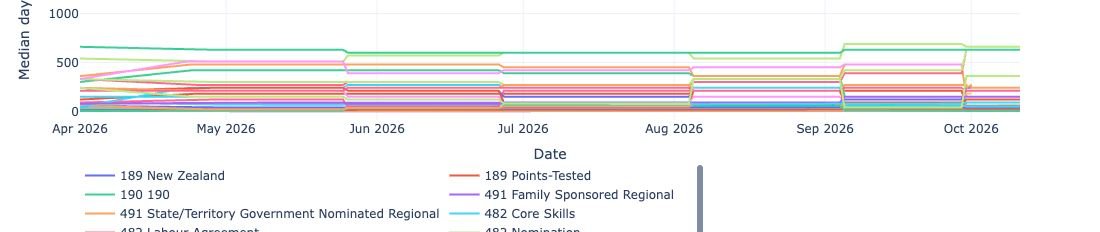
Read the median and 90th percentile correctly
Median (days) is the middle value, rather than an average. In a hypothetical example, a median of 30 days means roughly half of the cases in that statistic took 30 days or less. It does not give your application a 30-day deadline.
90th pct (days) is the 90th percentile. If a hypothetical figure were 60 days, roughly 90% of the cases in that statistic would have been processed within 60 days. Some would have taken longer.
A dash “–” means the tracker has not displayed a figure in that field. It does not mean zero days. In the screenshots accompanying this guide, the 90th percentile fields are shown as dashes.
Use the graph to follow a visa stream
The Trend — Priority Visas graph plots dates along the horizontal axis and median days along the vertical axis. The “Priority” label groups the plotted series; it does not establish that your application has priority.
Double-click the legend entry for the stream you want to see on its own. For a university student, try 500 Higher Education Sector. The graph becomes much easier to read when the other lines are hidden.
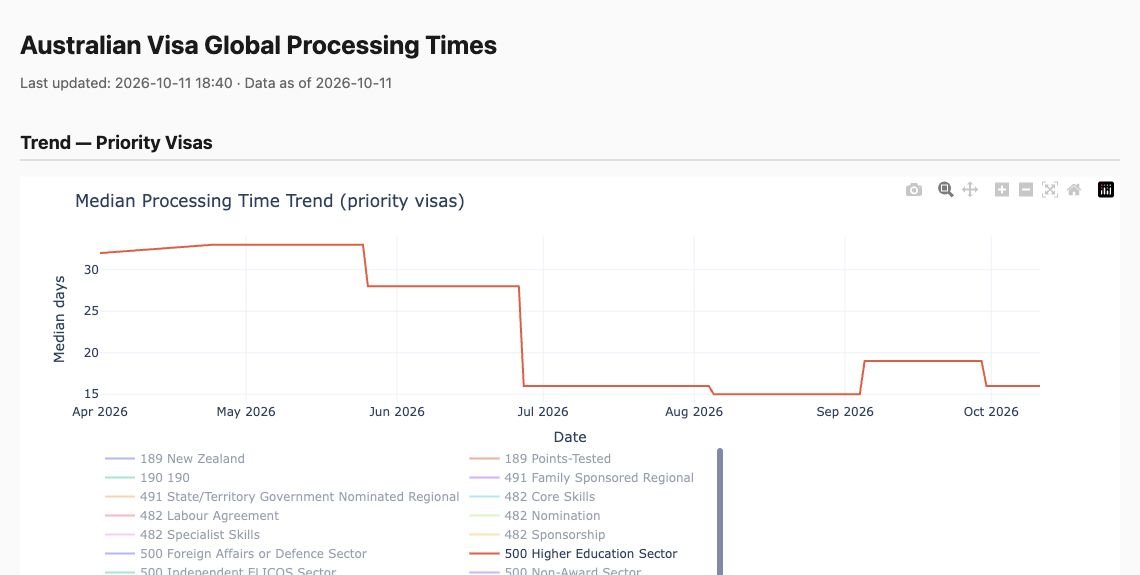
Use the zoom controls to examine a period and Reset axes to return to the original view. You can also save the chart with Download plot as a PNG.
Check a large jump before drawing a conclusion
Δ vs previous day compares the median with the previous published snapshot. A display of +7d means a seven-day increase in the recorded figure; -7d means a seven-day decrease. It does not add or subtract seven days from your own remaining wait.
The Anomalies — Last 14 Days section flags larger changes recorded by the tracker. Automatically collected data can contain gaps or inconsistent values, so recheck an unexpected jump against the same visa and stream in the official guide before relying on it.
Compare the figures with your own application
The Home Affairs visa processing times guide asks for your visa type, stream and application date. Its estimates use recently decided applications. It does not check the details of your application or guarantee when a decision will be made.
Home Affairs explains that processing times can vary with supporting documents, responses to requests for information, external health or character checks, application complexity and application volumes. See its processing times overview for the full explanation.
If you are unsure what a delay means for your next step, send Park & Co Lawyers an enquiry. Include your visa subclass, lodgement date and whether Home Affairs has requested further information so we can understand the question you need help with.
Australian immigration with an Accredited Specialist
A processing-time figure can help you understand the broader picture. Advice about your application needs a closer look at your dates, documents and circumstances.
Chang Min Park, Accredited Specialist in Immigration Law and Legal Practitioner Director of Park & Co Lawyers, can advise you on your application and the issues that need attention.
Use our online enquiry form to tell us about your situation. Our team will provide information about consultation availability, format and fees. You can also email enquiry@parkcolawyers.com.
Open the Australian Visa Global Processing Times tracker
This article provides general information. Published processing times and the tracker’s automated records may change; advice on your application requires an assessment of your circumstances.
Can this tracker show my application status?
No. It displays published processing time figures and their recorded history. It cannot access your application or tell you the date of your decision.
Is the tracker a Home Affairs website?
No. It is an independent tool using public data. Check the update and data dates, then use the linked Home Affairs guide to verify any figure you intend to rely on.
Related guide and contact details
Changes to migration law can raise a different question from processing speed. Read how to check the latest Australian migration law changes. For advice on a specific matter, see Park & Co Lawyers’ enquiry options.